
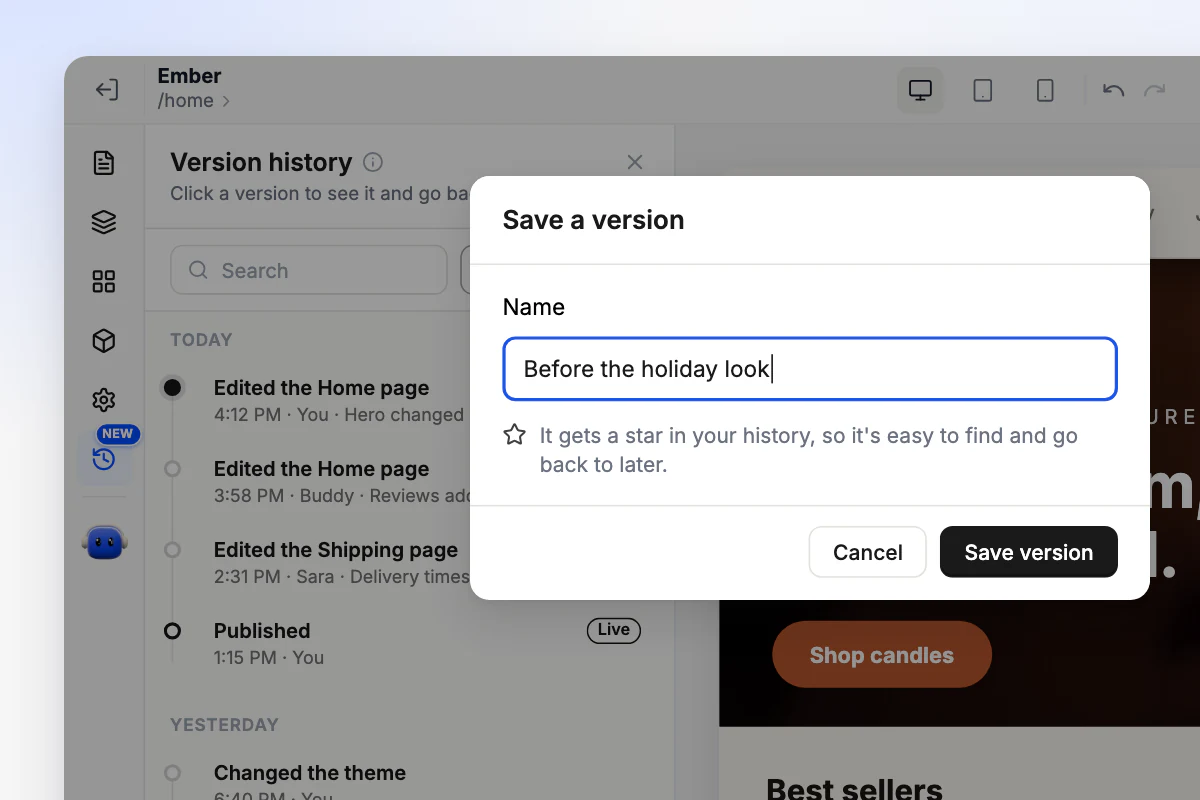
Name the versions that matter
Before a redesign or a big sale, give what you have a name like Before the holiday look. It gets a star in your history, so it is easy to find and go back to.
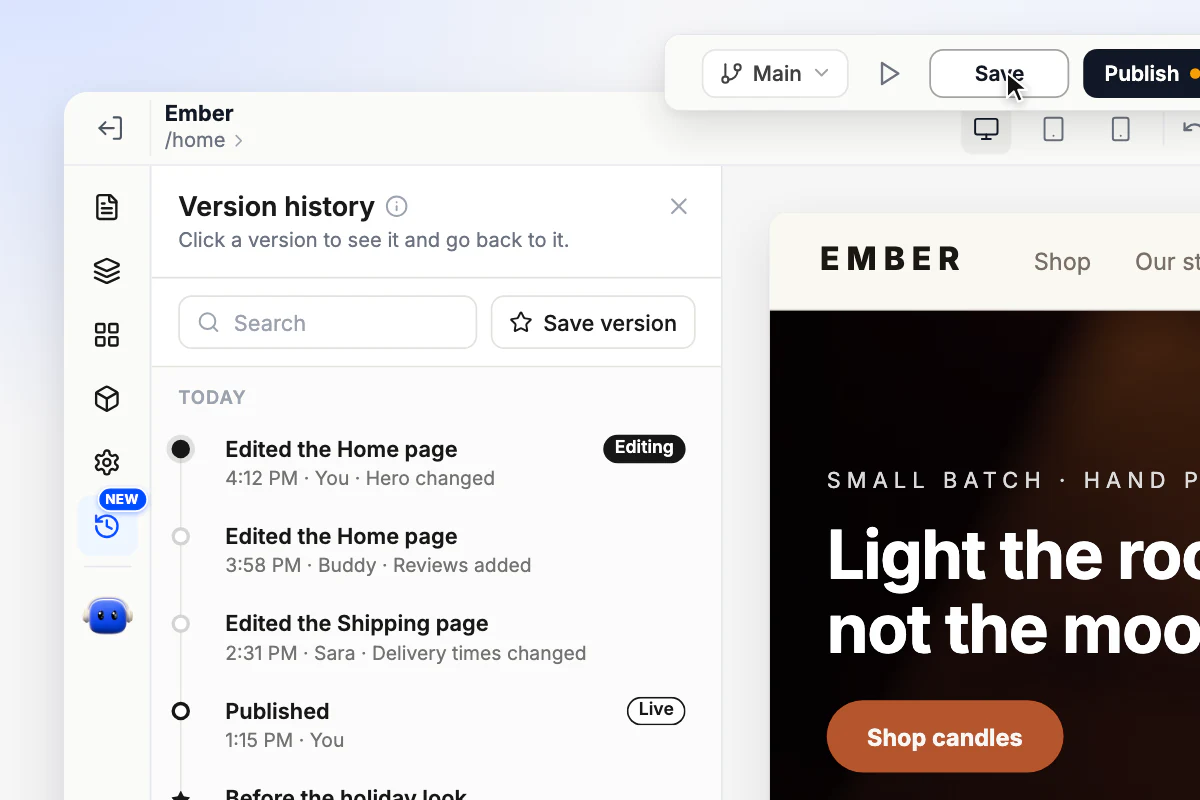
Every save is kept. Compare, restore, or try a new look on a branch.
Yours, your team's and Buddy's. Each one says who made it and what changed.
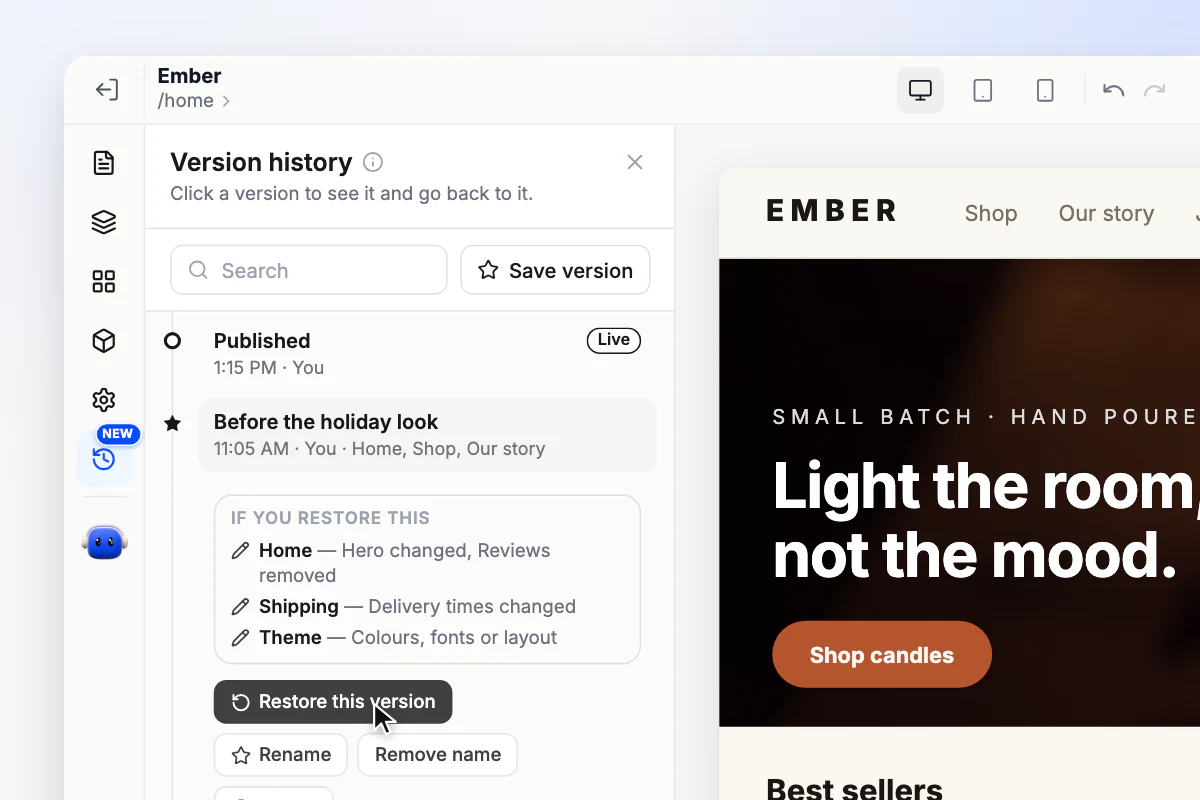
Open any version to see, page by page, what restoring it would change.
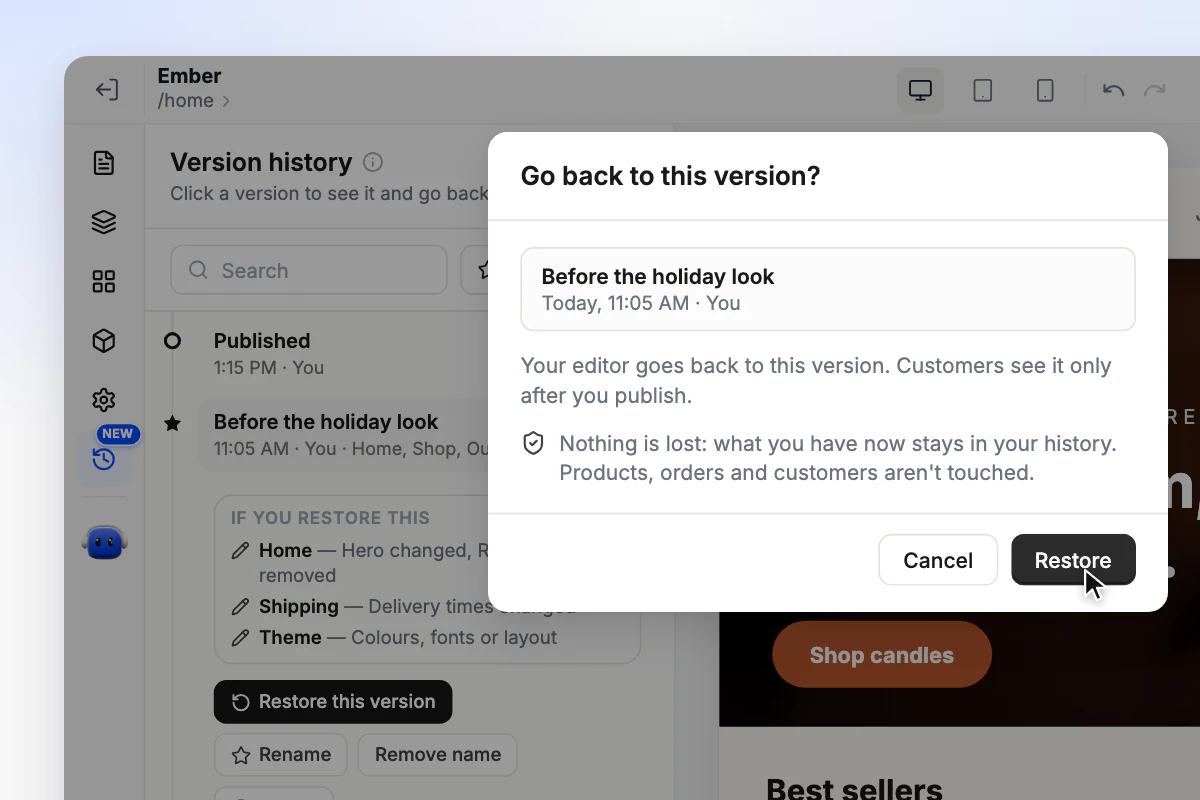
Nothing is lost and no copy piles up. Products, orders and customers are never touched.
Pages and theme reach customers when you publish. The Live tag shows which version that is.
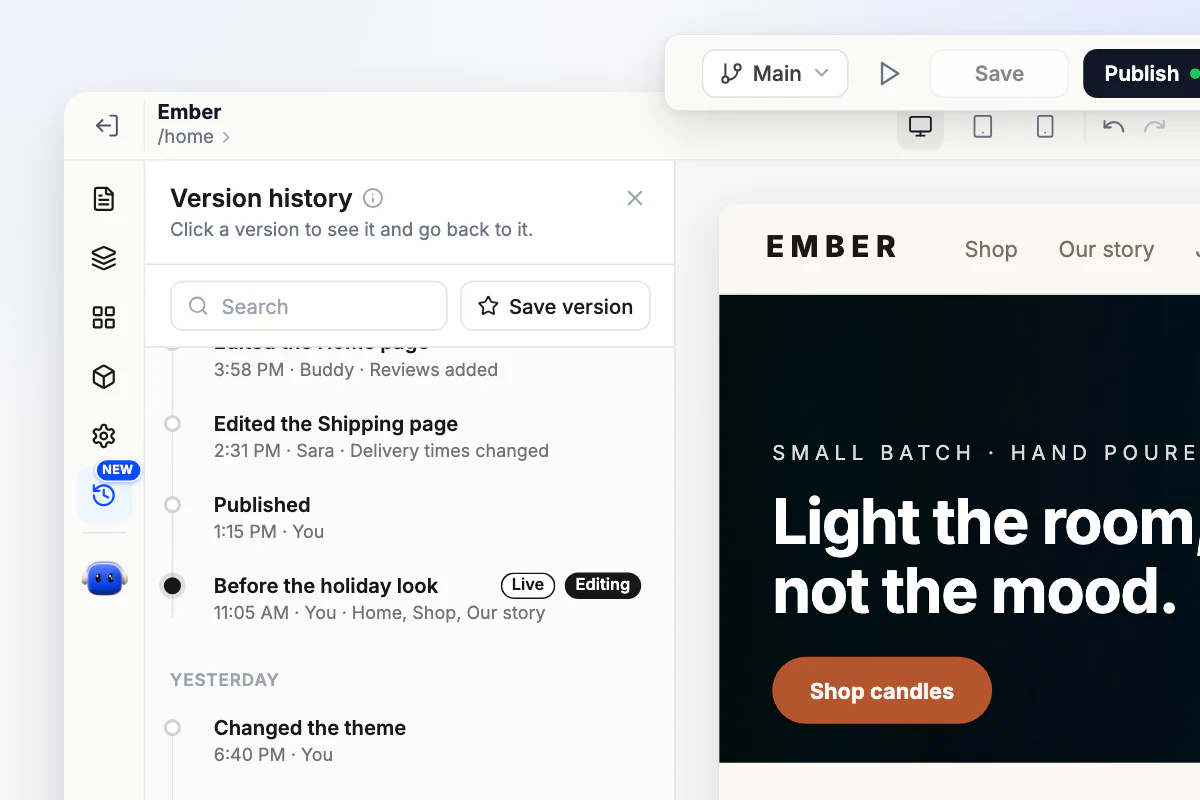
Before a redesign or a big sale, give what you have a name like Before the holiday look. It gets a star in your history, so it is easy to find and go back to.
Every change Buddy makes to your store is its own version. Not what you wanted? Click Undo in the chat, or go back to any earlier version from your history.
Meet Buddy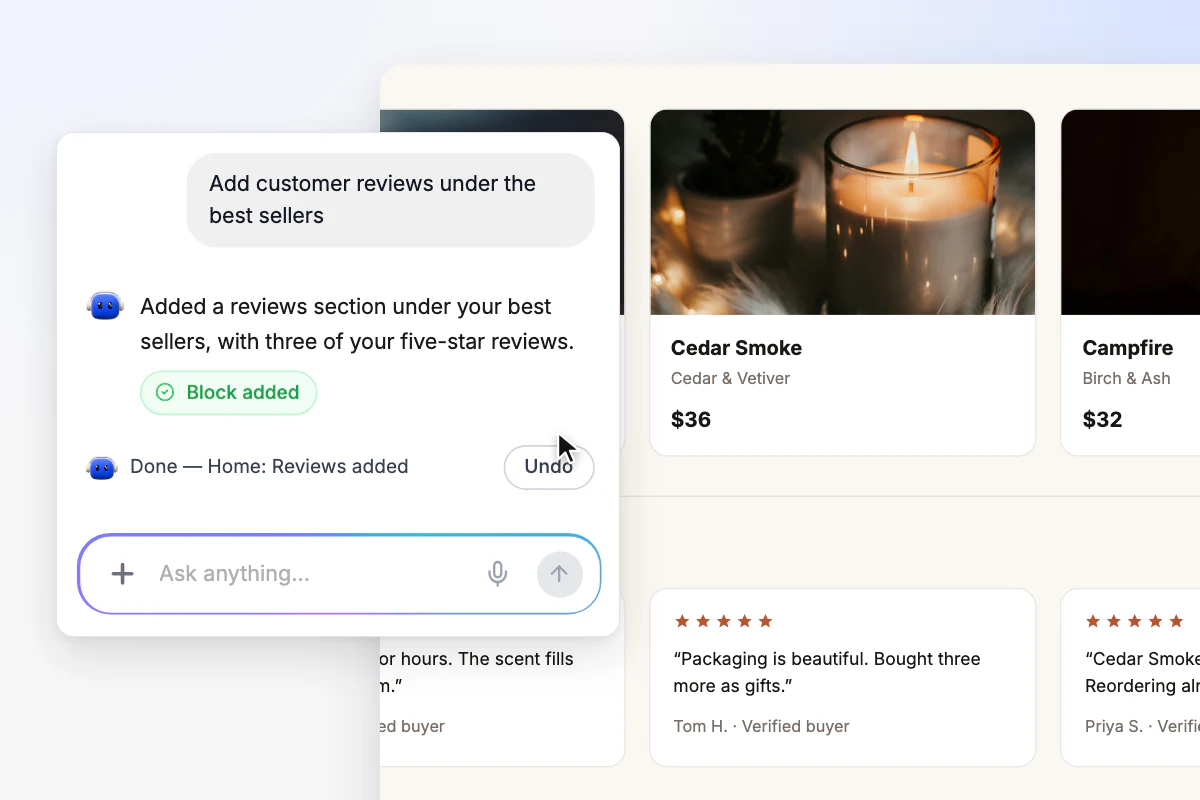
A branch is a copy of Main, the design your customers see. Change it as much as you like. Customers keep seeing Main until you decide.
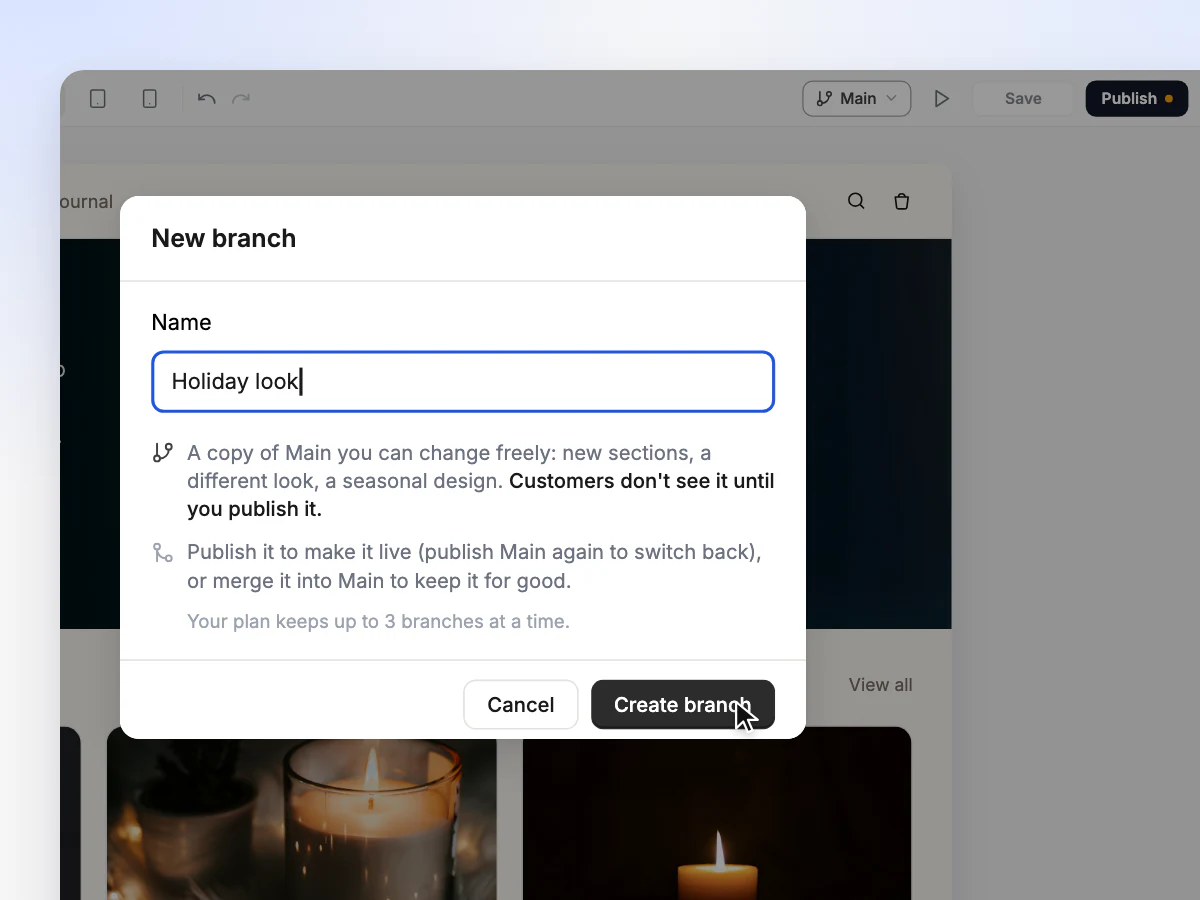
Give it a name and you get a copy of Main to work on.
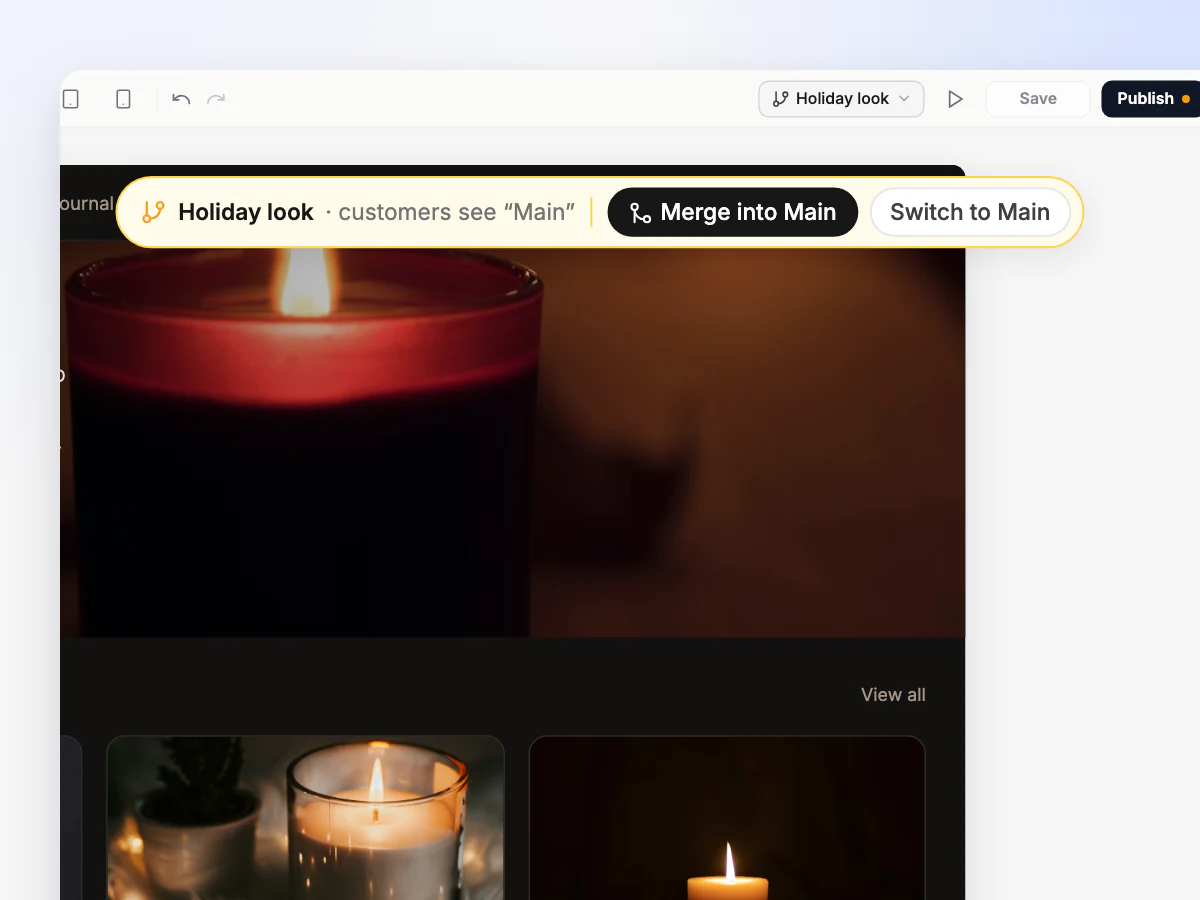
Edit pages, sections and the theme. Customers still see Main.
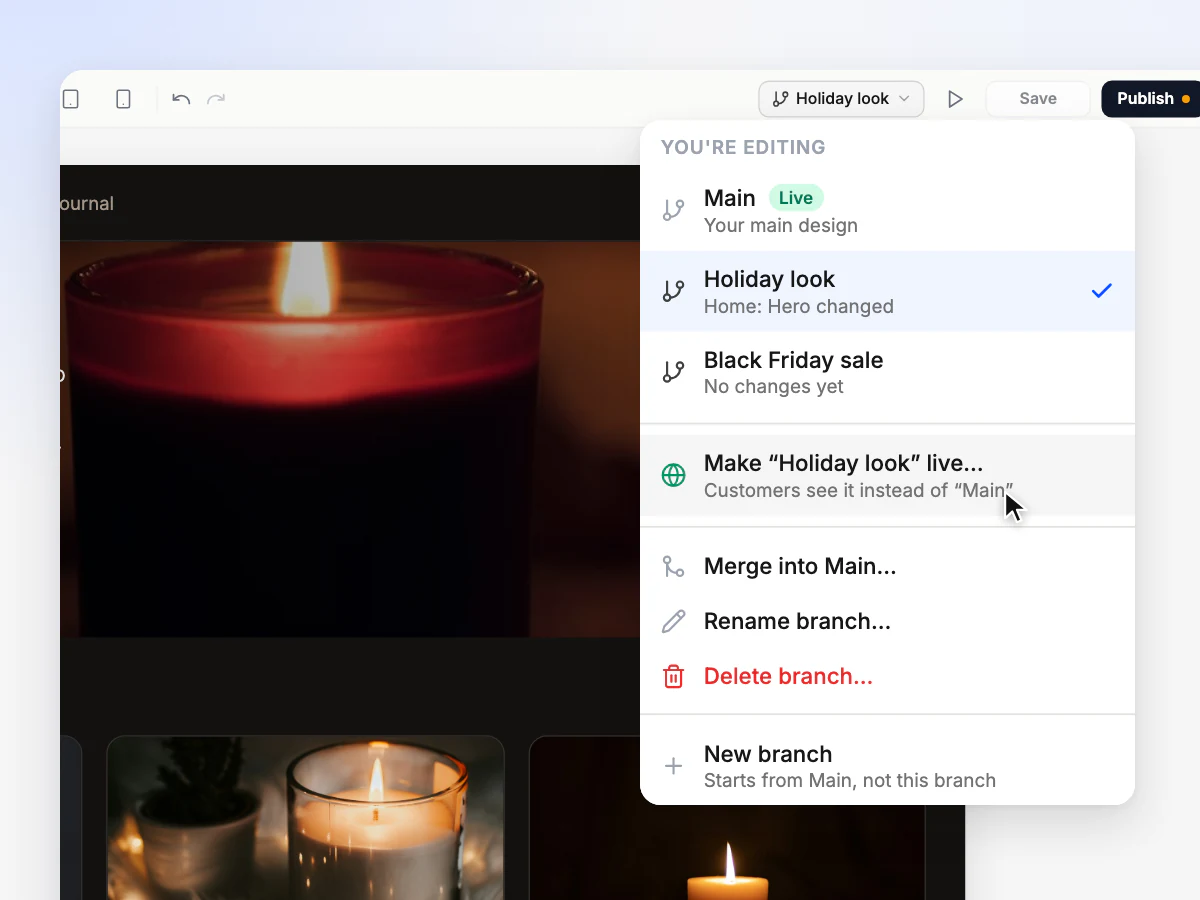
Put it live for a season, or bring it into Main for good.
Starter includes 1 branch at a time, Pro 3 and Business 10. Compare plans
Seasonal looks
Make the branch live when the season starts. When it ends, make Main live again. Both keep their pages, so next year the holiday look is one click away.
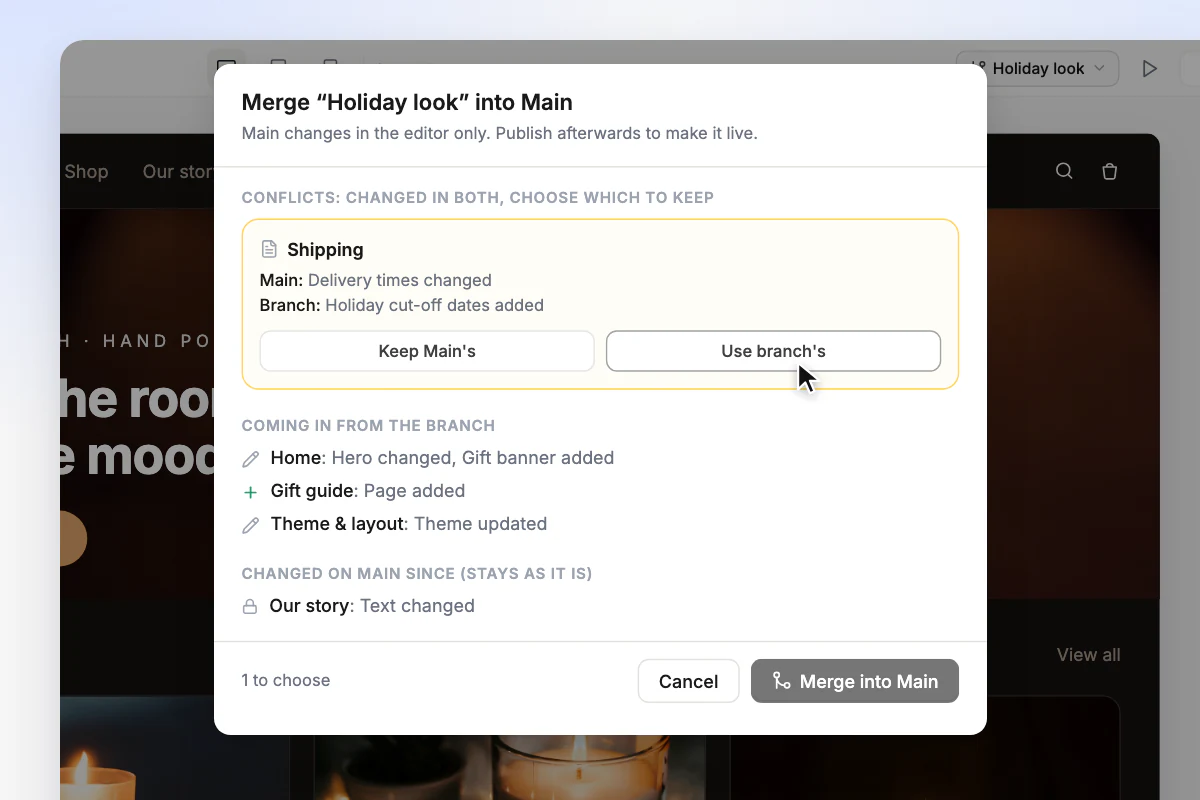
Like a branch for good? Bring it into Main. Orderain compares the two, page by page, before anything changes.
Main changes in the editor first. Publish when you are ready.
| Restore a version | Switch branch | |
|---|---|---|
| Pages and sections | Go back in the editor | Swap in the editor |
| Theme and layout | Go back in the editor | Swap in the editor |
| Logo and brand colours | Change right away | Stay the same |
| Products | Never touched | Never touched |
| Orders | Never touched | Never touched |
| Customers | Never touched | Never touched |
| What customers see | Changes when you publish | Changes when you make it live |
Restoring adds no copy to your history, so you can always switch back.
For solo owners, whole teams and seasonal shops alike.
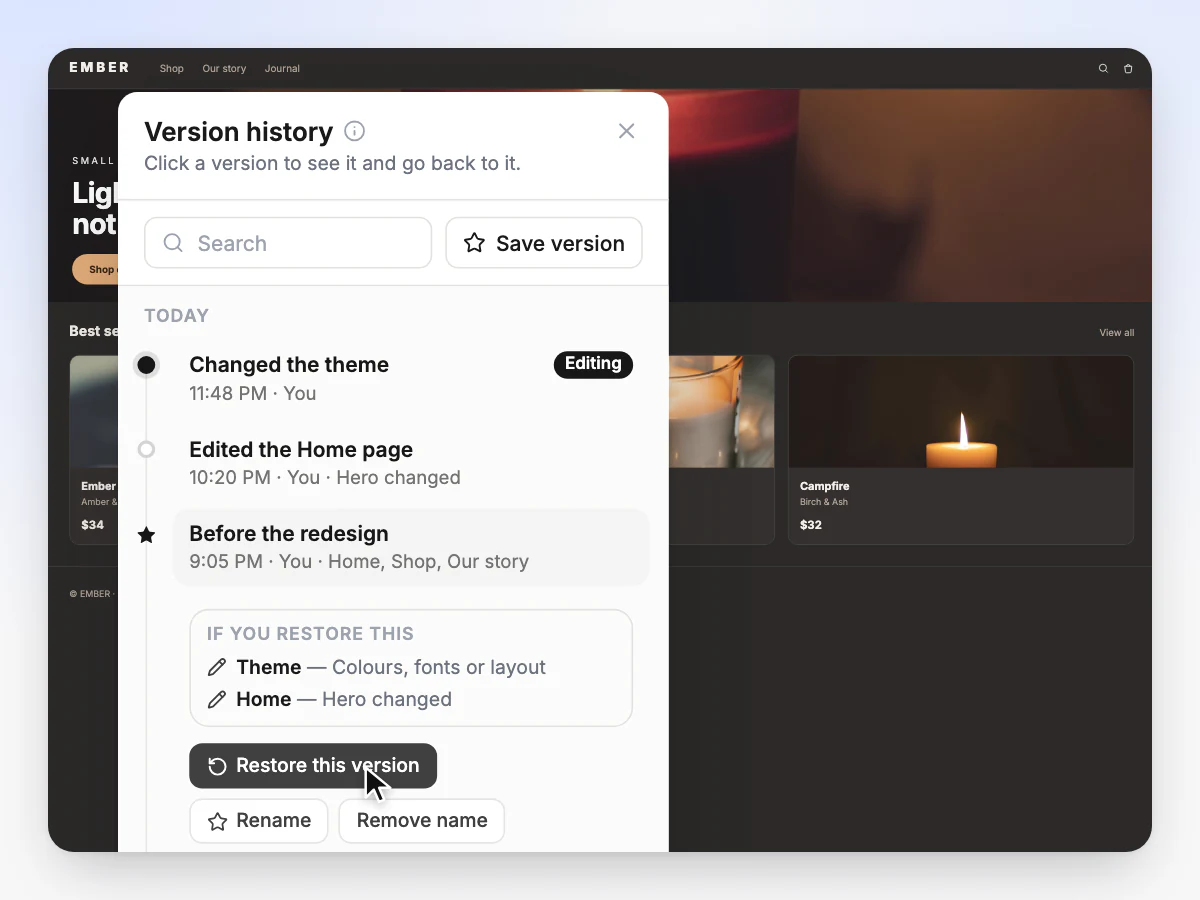
Redesign late at night and decide in the morning. Every save is kept, so going back is one click.
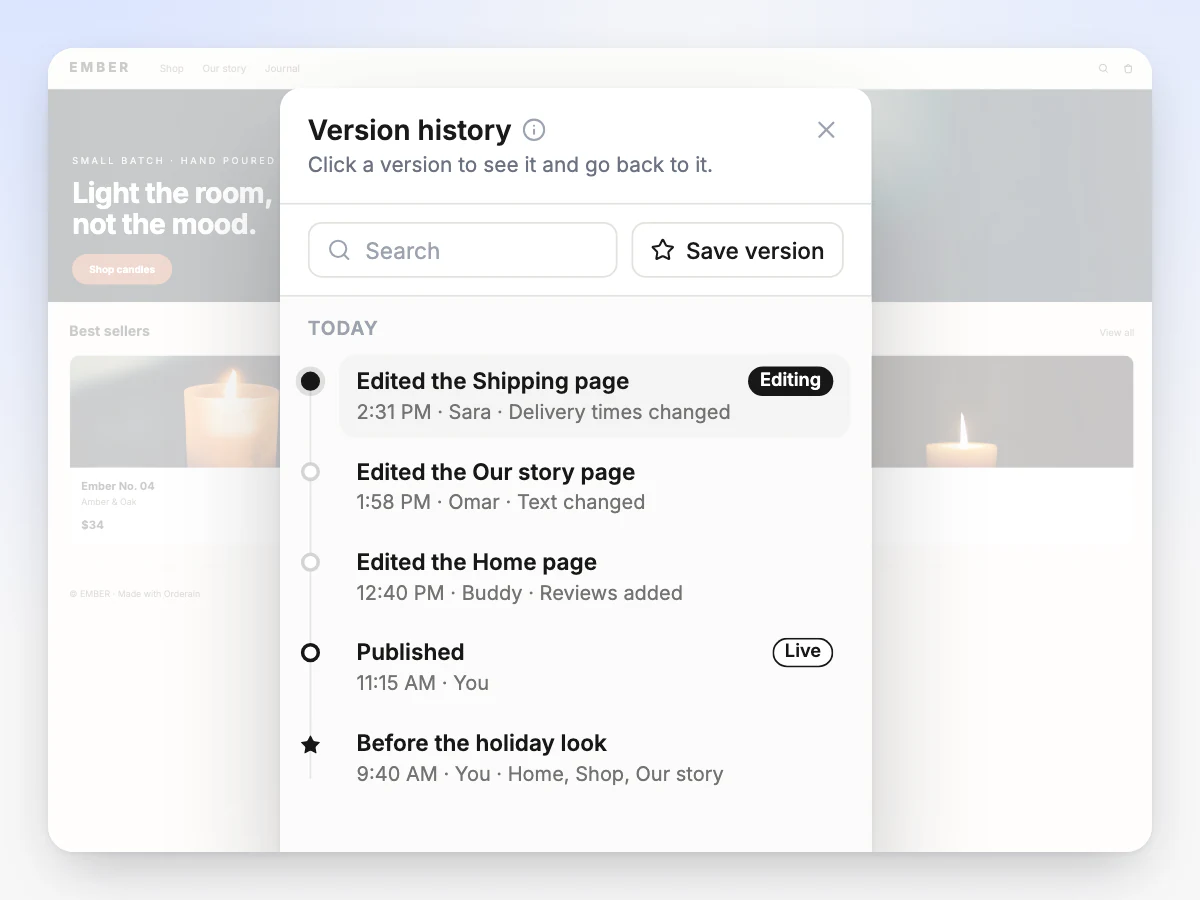
Every save carries the name of whoever made it, so you see what Sara changed on the Shipping page before you publish. No more guessing who did it.
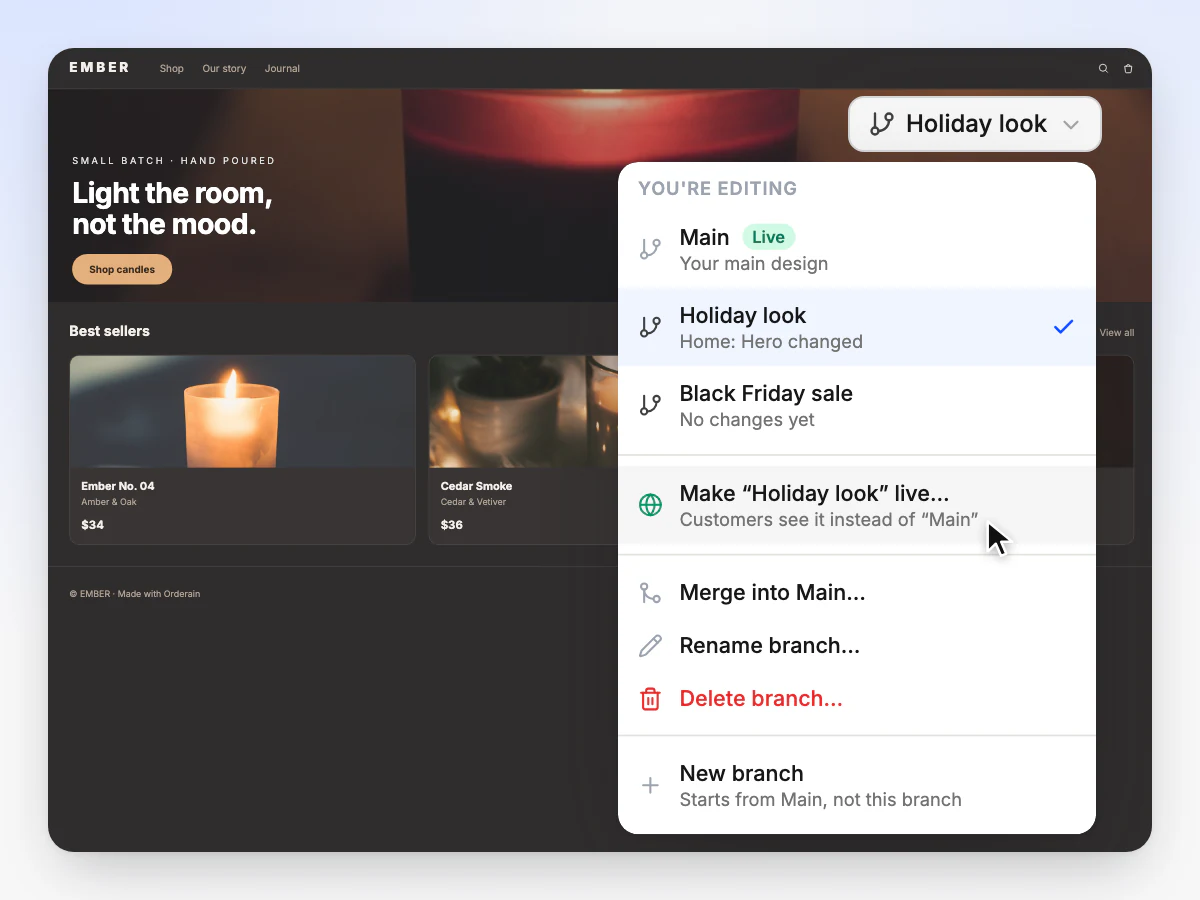
Build the holiday look on a branch while customers see Main, then make it live on the day. Switch back when it ends.
No. Every time you save in the builder, Orderain keeps that state as a version. Name one only when you want to find it easily later.
Pages, sections and the theme go back in the editor first, and customers see them when you publish. Your logo and brand colours are the exception: they change on your live store right away.
No. Version history covers how your store looks: pages, sections, theme and branding. Products, orders and customers are never changed.
Every save is kept on every plan. Plans differ in how many branches you can have at a time: 1 on Starter, 3 on Pro and 10 on Business.
A copy of Main, the design your customers see, that you can change freely. Use one for a redesign, a sale or a seasonal look. Customers do not see it until you make it live.
No. Switching branches only changes what is in your editor. Customers see your live branch, usually Main, until you make another one live.
Orderain compares the two page by page. Changes from the branch come in, changes made on Main since stay, and where both changed the same page you choose which to keep. Main changes in the editor first, so you publish when you are ready.
Yes. Every change Buddy makes is saved as its own version, and you can undo it from the chat. Buddy can also find a version, tell you what restoring it would change, and restore it once you confirm.
They are still in your history as older versions. You can restore them, though they cannot be compared.
Every save kept, every version one click away. Zero% platform fees, from $5 a month.